A Christmas campaign is more than a discount code. Customers need to find the right gift, understand when it will arrive, and feel confident placing an order. Your team needs a way to manage the extra questions and fulfillment work without adding unnecessary complexity.
The right app stack depends on the bottleneck in your store. A gift shop may need wrapping and product discovery; a brand launching a seasonal collection may need pre-orders and clear shipping estimates. Start with the problem you want to solve, then add only the tools you can test and support before your campaign goes live.
A Christmas sale action plan for your Shopify store
Before choosing apps, decide what the campaign needs to accomplish and what your team can realistically deliver. Use this roadmap to prepare the store and customer experience:
- Plan the offer and calendar. Choose the products, campaign dates and discounts. Calculate margins after discounts, shipping and fulfillment costs. Set start and end times, exclusions and a clear message about the offer.
- Prepare inventory and delivery expectations. Check stock by variant and location, supplier lead times and packing capacity. Set realistic ordering cutoffs and explain delivery estimates. If you accept pre-orders, identify those items and state their expected shipping windows and payment terms before checkout.
- Make gifts easy to find. Create a focused holiday collection or gift guide, organize products by recipient, interest or budget, and check search terms, filters and product descriptions. Keep unavailable items and alternatives clear.
- Build useful gift offers. Group complementary products into gift sets, suggest genuinely relevant add-ons, and offer wrapping or messages only if your team can fulfill them. Show what's included and what each option costs.
- Prepare customer communications. Plan consent-based email campaigns and useful reminders. Update shipping, returns and holiday support information, and give your team answers to common questions and a clear escalation path.
- Test the whole journey. On desktop and mobile, check product pages, prices, discounts, gift options, cart, checkout and order confirmation. Test available, sold-out and pre-order variants and check how multiple offers interact.
- Plan for fulfillment and follow-up. Assign responsibility for packing, support and shipment exceptions. Make tracking easy to find, monitor customer questions and update delivery estimates if conditions change.
The apps below can help put individual parts of this plan into practice. Choose the functions your store needs rather than installing every tool.
Below are 10 Shopify apps across 10 different functions, from email marketing to order tracking. We considered relevant apps with at least 90 Shopify App Store reviews and high displayed ratings among the candidates checked; K1 PreOrder, made by K1 Apps, is included as our own product. The shortlist is a limited editorial comparison, not an exhaustive ranking or a hands-on test. Numbers are a reading order, not a ranking across categories. Ratings and indicative US-dollar starting prices can change; check each listing for current terms.
The holiday app shortlist
| Function | App | Shopify rating and reviews | Starting price shown |
|---|---|---|---|
| Email marketing | Wiz AI Email & Abandoned Cart | 5.0 / 5 (237) | Free plan; paid from $29.99/month |
| Upsells | Essential Upsell & Cross Sell | 5.0 / 5 (2,511) | Free plan; paid from $9.99/month |
| Bundles | Kaching Bundles App & Upsells | 5.0 / 5 (6,800) | Paid from $14.99/month; free for development stores |
| Discounts | Rockit Discounts & Sales App | 5.0 / 5 (508) | Free plan; paid from $7.99/month |
| Pre-orders | K1 PreOrder | 5.0 / 5 (51) | Free plan; paid from $4.99/month |
| Gift wrap and messages | GLab: Gift Wrap & Gift Message | 5.0 / 5 (96) | Paid from $19.99/month; free for development stores |
| Search and filters | Findter Custom Filter & Search | 5.0 / 5 (273) | Free for eligible stores; paid from $9/month |
| Reviews | Judge.me Product Reviews App | 5.0 / 5 (50,471) | Free plan; paid $15/month |
| Customer support | Moose AI Chatbot & Live Chat | 5.0 / 5 (486) | Free plan; paid from $19/month |
| Order tracking | CWILL Order Tracking | 4.9 / 5 (3,226) | Free plan; paid from $11/month |
Ratings, review counts, and prices were checked on the linked Shopify App Store listings on November 20, 2026; K1 and CWILL were checked on November 21. Review counts and prices change, and a displayed rating can be rounded. Charges may depend on usage, plan, or store eligibility; verify the current listing before installing.
1. Wiz AI Email & Abandoned Cart: Prepare holiday campaigns
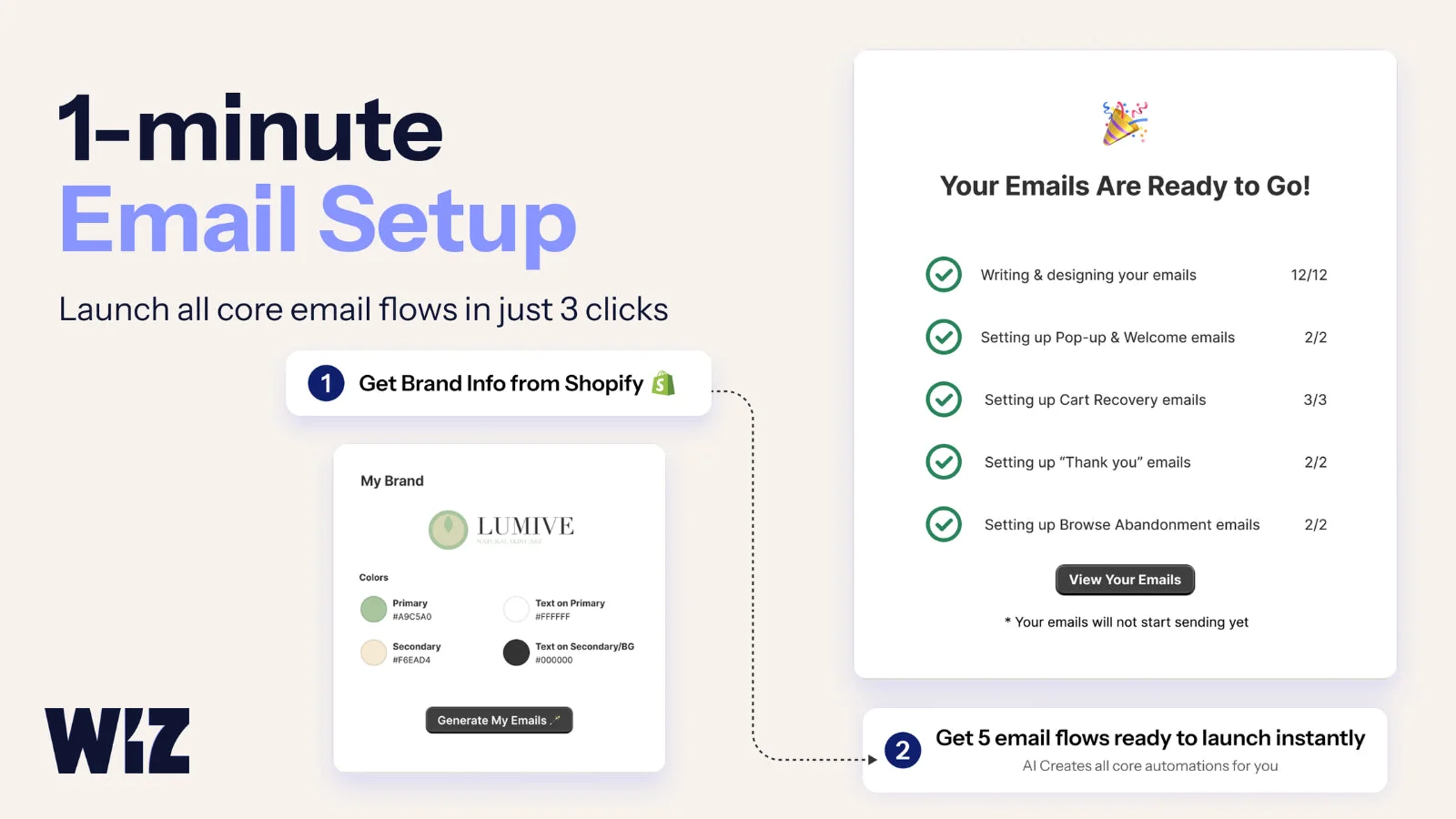
Image: Wiz AI Email & Abandoned Cart, Shopify App Store.
Category: Email marketing Best for: Stores that need campaign emails and abandoned-cart follow-ups in one tool. Shopify rating: 5.0/5 from 237 reviews.
Wiz AI Email & Abandoned Cart lists email campaigns, newsletter tools, segmentation, pop-ups and automated abandoned-cart and welcome flows. For a Christmas sale, a merchant could send a short gift guide, then follow up with opted-in shoppers who leave relevant items behind. The listing also categorizes SMS campaigns as a feature; check SMS availability and charges separately rather than assuming they are included in the email plan.
Pricing: The free plan lists up to 500 active contacts. Pro starts at $29.99/month for up to 2,000 active contacts; prices increase as the list grows. Confirm current sending and feature limits.
Holiday setup checklist:
- Choose the audience and a useful offer, such as a gift guide by recipient or budget.
- Review consent and suppress customers who should not receive promotional email.
- Create or review the campaign and any abandoned-cart or welcome flow. Check AI-generated text manually for accurate products, prices and deadlines.
- Send test messages, open the links on mobile, and make sure another app is not sending the same follow-up.
- Check performance after launch and update any shipping or stock claims as conditions change.
2. Essential Upsell & Cross Sell: Suggest relevant extras
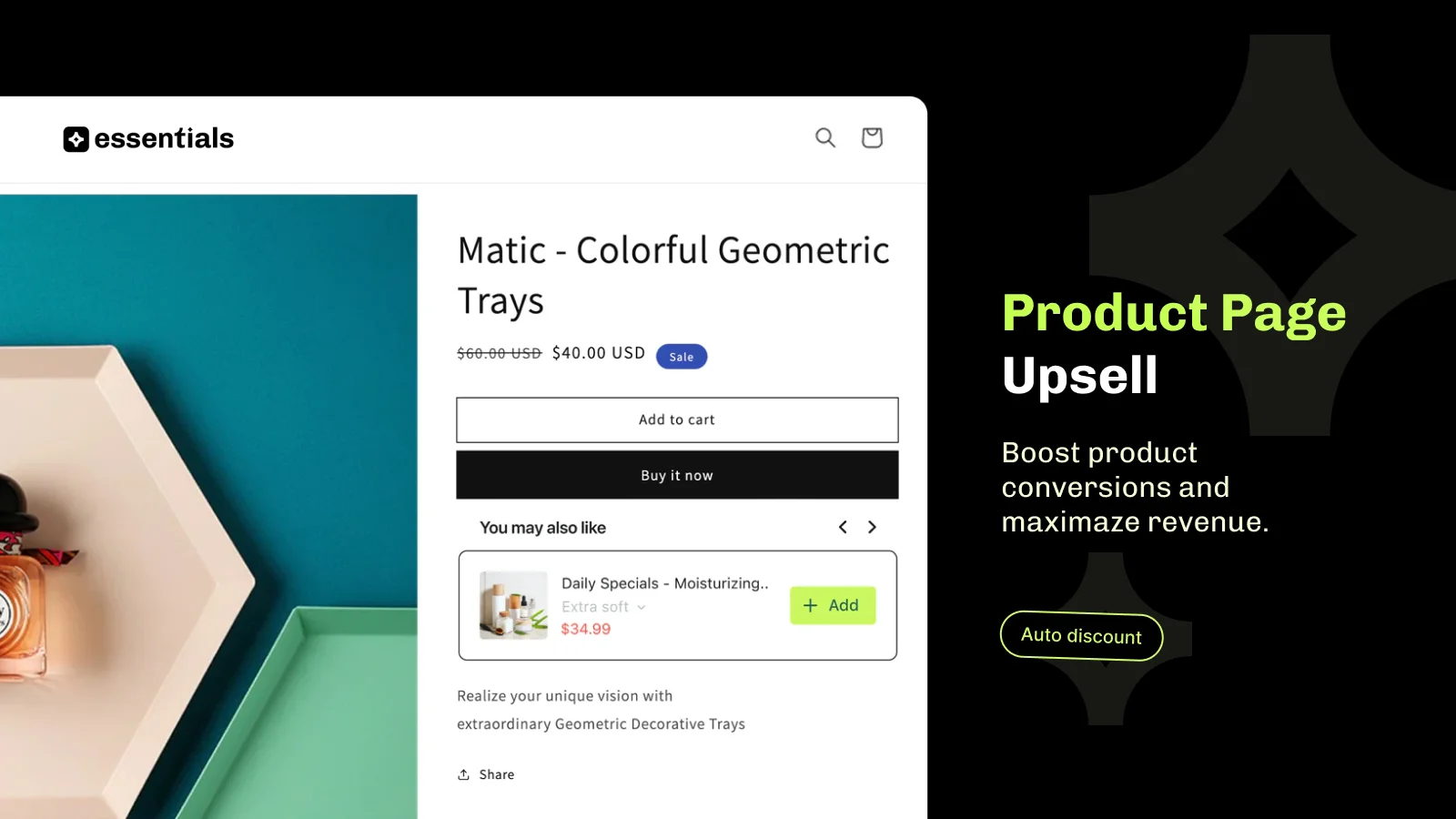
Image: Essential Upsell & Cross Sell, Shopify App Store.
Category: Upsells and cross-sells Best for: Recommending a complementary product without interrupting the main purchase. Shopify rating: 5.0/5 from 2,511 reviews.
Essential Upsell & Cross Sell lists product-page, cart and post-purchase offers, with features varying by plan. A coffee store could suggest filters alongside a coffee maker; a clothing store could show a matching accessory. Choose an item that makes the gift more useful, and show its price before the shopper agrees.
Pricing: The free plan lists product-page and post-purchase offers up to $100 in additional revenue. Starter is $9.99/month with a $500 additional-revenue limit; the listed Essential plan adds cart-page offers at $19.99/month. Verify limits and current terms.
Holiday setup checklist:
- Pick one core gift and one compatible add-on that is available to ship.
- Choose an eligible placement and create a concise offer that explains why the extra is useful.
- Check the offer's price, discounts and styling on desktop and mobile.
- Add and remove the offer in a test cart; check quantity, inventory and any other cart app.
- Review results after the campaign starts and remove recommendations that are irrelevant or out of stock.
For a broader comparison, see our guide to Shopify upsell apps.
3. Kaching Bundles App & Upsells: Build gift sets
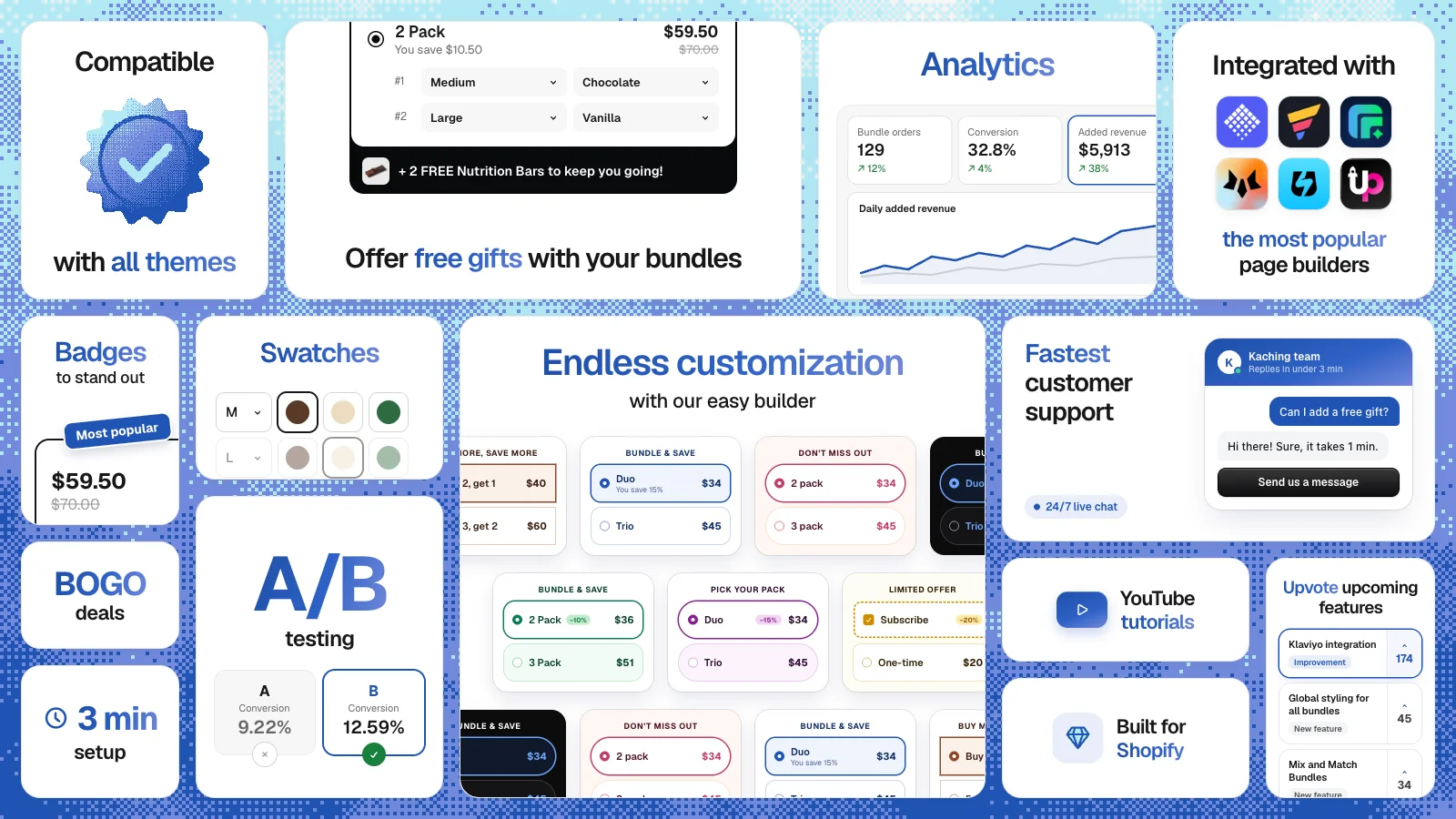
Image: Kaching Bundles App & Upsells, Shopify App Store.
Category: Product bundles Best for: Stores selling complementary products or quantity-based gift offers. Shopify rating: 5.0/5 from 6,800 reviews.
Kaching Bundles App & Upsells lists fixed and mix-and-match bundles, quantity breaks and bundle styling. A home-goods shop could group a mug and tea, while a skincare store could let a shopper choose products for a gift set. Explain what the buyer receives and how the bundle price compares with the individual items.
Pricing: The listing says development stores can install free. Starter is $14.99/month for up to $1,000 in additional revenue; higher tiers and a free trial are listed. Check the app's current measurement and plan terms.
Holiday setup checklist:
- Select a small set of products that work together and verify the inventory of each component.
- Choose a fixed or mix-and-match offer supported by your plan and set a price that protects your margin.
- Preview the offer and make the included items and savings clear to the shopper.
- Test a purchase, a sold-out component and any combination with sale or automatic discounts.
- If a component is a pre-order, test the entire cart and fulfillment workflow; compatibility with another app is not automatic.
4. Rockit Discounts & Sales App: Schedule a holiday sale
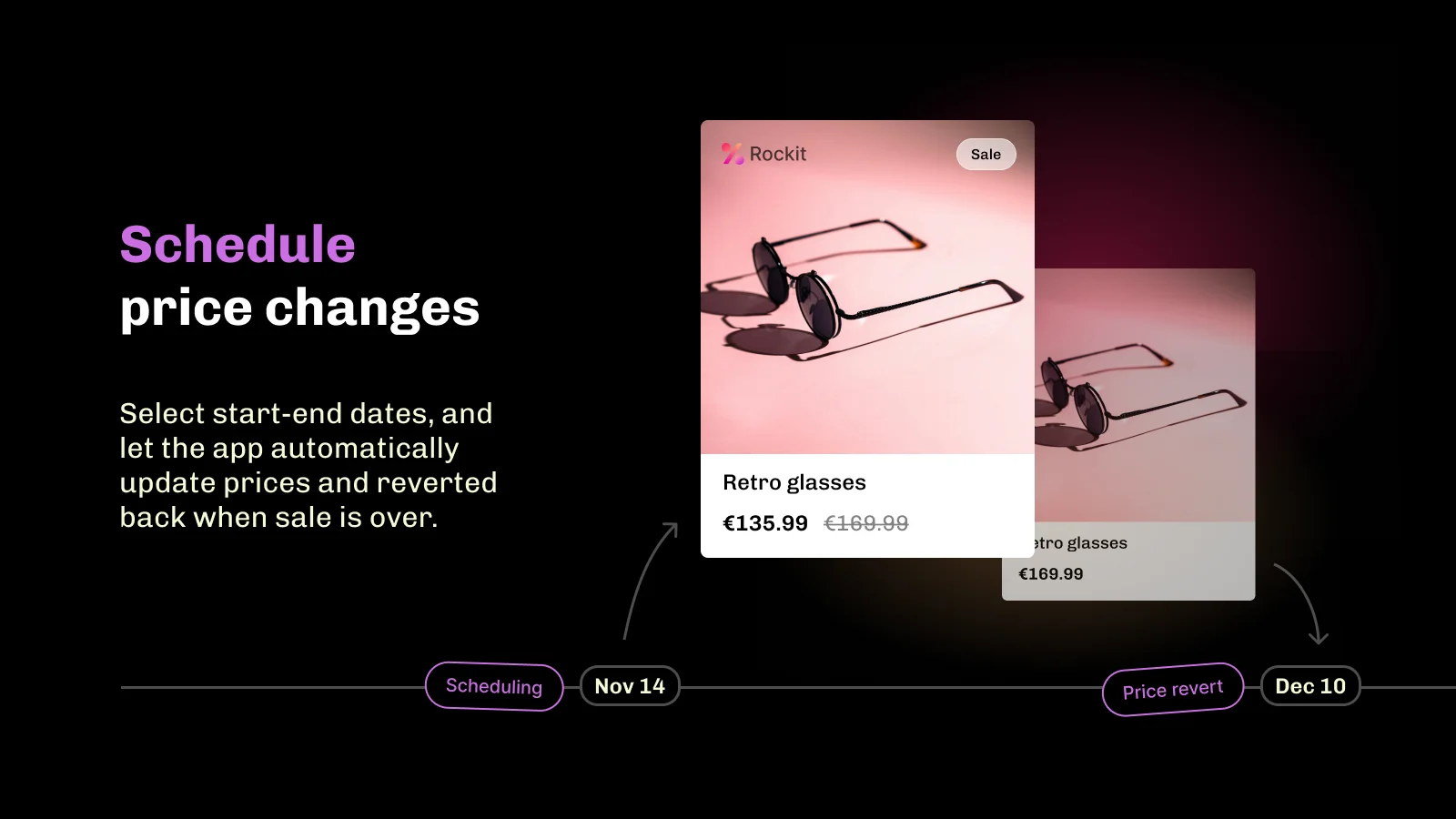
Image: Rockit Discounts & Sales App, Shopify App Store.
Category: Discounts and sale management Best for: Merchants who need to schedule prices across selected products or variants. Shopify rating: 5.0/5 from 508 reviews.
Rockit Discounts & Sales App lists bulk price editing, sale scheduling, product exclusions and countdown options. Instead of changing individual prices throughout a campaign, plan one offer for a defined gift collection and explain its start and end to shoppers. The listing describes automatic price resets, but test them with your own products and overlapping promotions.
Pricing: The free plan lists up to 50 product variants on sale, one volume discount and one countdown timer. Starter is $7.99/month for up to 2,000 variants; other plan limits apply.
Holiday setup checklist:
- Choose eligible products and calculate the margin after the proposed discount.
- Set campaign dates, verify the applicable time zone, and review exclusions and compare-at prices.
- Check the interaction with bundles, discount codes and other automatic offers.
- Test a few products before, during and after a small scheduled sale, including price restoration.
- Confirm the visible offer and deadline match the actual checkout price across devices.
5. K1 PreOrder: Offer upcoming products as pre-orders
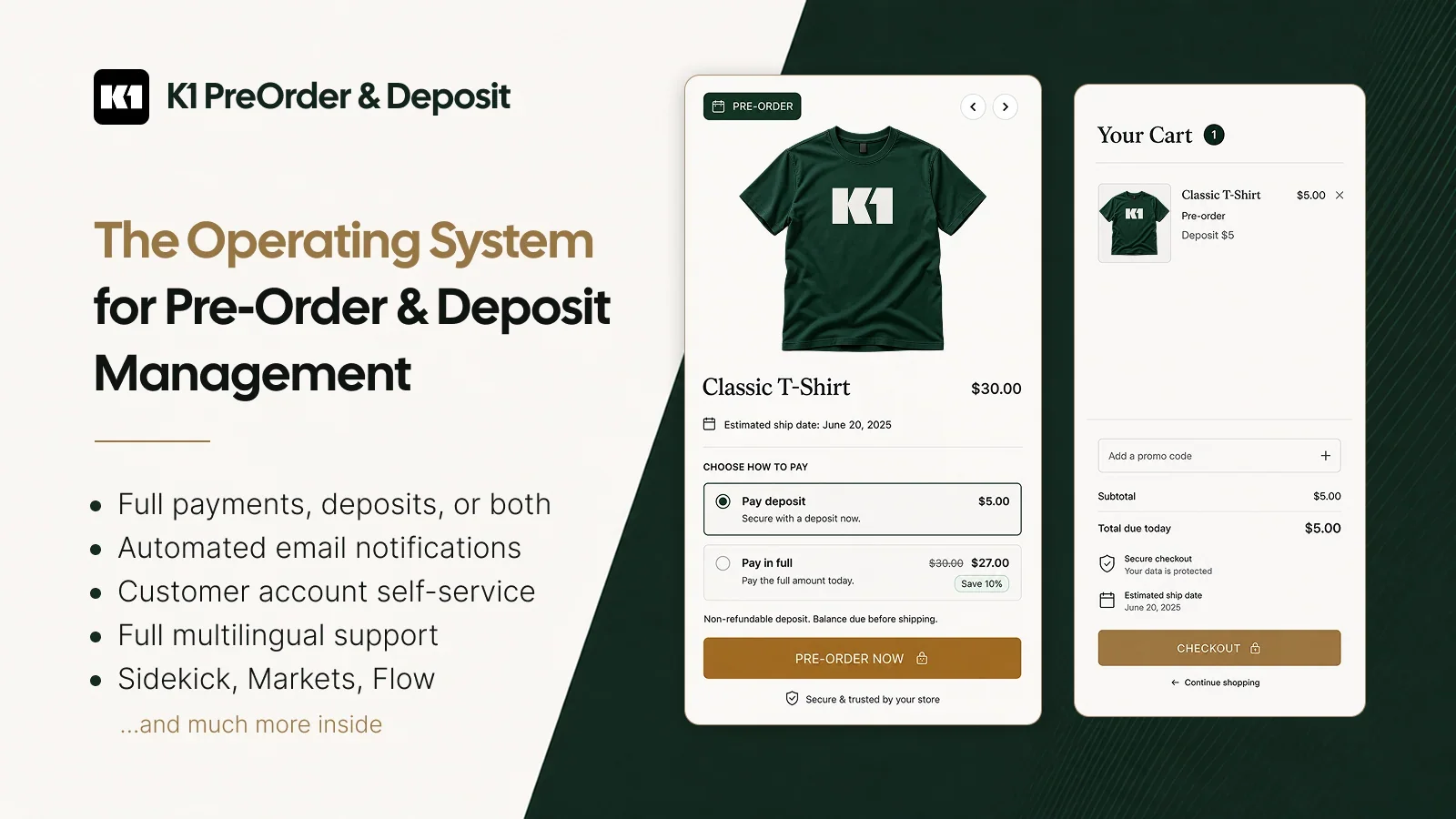
K1 PreOrder & Deposit: example pre-order and deposit experience.
Category: Pre-orders Best for: Stores ready to accept orders for an upcoming or eligible out-of-stock product. Shopify rating: 5.0/5 from 51 reviews.
K1 PreOrder is made by K1 Apps. It is designed to help merchants offer pre-orders and communicate the offer to shoppers. This can be useful for a seasonal launch or a product expected to return, but a pre-order is still an order: explain the expected shipping window and payment terms before checkout. Never promise Christmas delivery unless your operations and carrier estimates support it.
Pricing: The public listing shows a free tier up to $500 in monthly pre-order revenue and a Starter tier from $4.99/month up to $1,000, with feature limitations. Verify current eligibility, plan details and charges in the app.
A practical starting checklist:
- Create a rule and use Applies to → Specific products to select the items or variants intended for the campaign.
- Under Display pre-order button, choose a condition that fits your stock situation. The inspected editor offers Always, When product variant is out of stock, and a stock-threshold option; check your current version.
- Configure the available payment options and a clear customer message. State what is paid now, any balance due and the estimated shipping window.
- Review the rule's Continue selling when out of stock options and your Shopify inventory settings. Choose them deliberately: allowing sales while out of stock changes the purchase behavior, not just the label.
- Preview a selected item and an unrelated sold-out item. Run a store-approved test order and check the cart, checkout, order details and customer communication before launching.
For a fuller walkthrough, see our Shopify pre-order setup guide. K1 is not a replacement for an announcement-only label: if the item should not be purchasable, use a suitable display approach and test that purchase is blocked.
6. GLab: Add gift wrap and personal messages
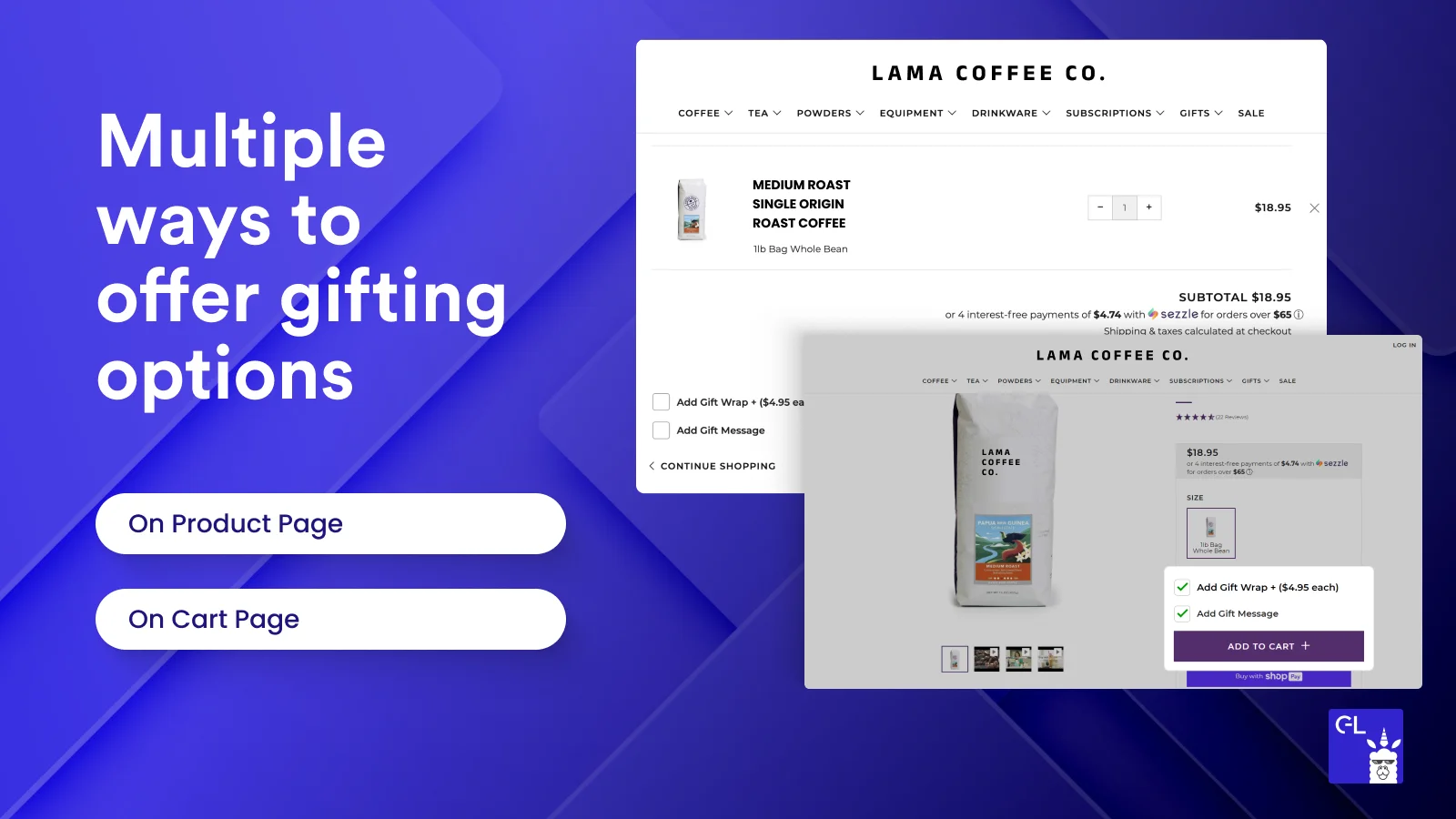
Image: GLab: Gift Wrap & Gift Message, Shopify App Store.
Category: Gift wrap and messages Best for: Stores that can physically fulfill gift options and want to offer personal notes. Shopify rating: 5.0/5 from 96 reviews.
GLab: Gift Wrap & Gift Message lists gift wrapping, messages, greeting cards and video messages. A shopper buying a gift for someone else can add a more personal touch, but your packing team still needs enough time and supplies to deliver the service. This app has a smaller review sample than most others in the shortlist, so read recent feedback and test the workflow yourself.
Pricing: The free option is for development stores. Essential is listed at $19.99/month and includes the listed gifting options; check current plan features and terms.
Holiday setup checklist:
- Decide which products qualify for wrapping and how much the service will cost.
- Prepare the available wrap and message options, checking that your fulfillment team can support them.
- Test the gift selection and message on a product page and in the cart using your theme.
- Place a test order and confirm the message and gift instructions reach the people packing it.
- Check special characters, mobile display and how your order cutoff affects gift preparation. Do not promise delivery based only on a chosen date.
7. Findter Custom Filter & Search: Help shoppers find gifts
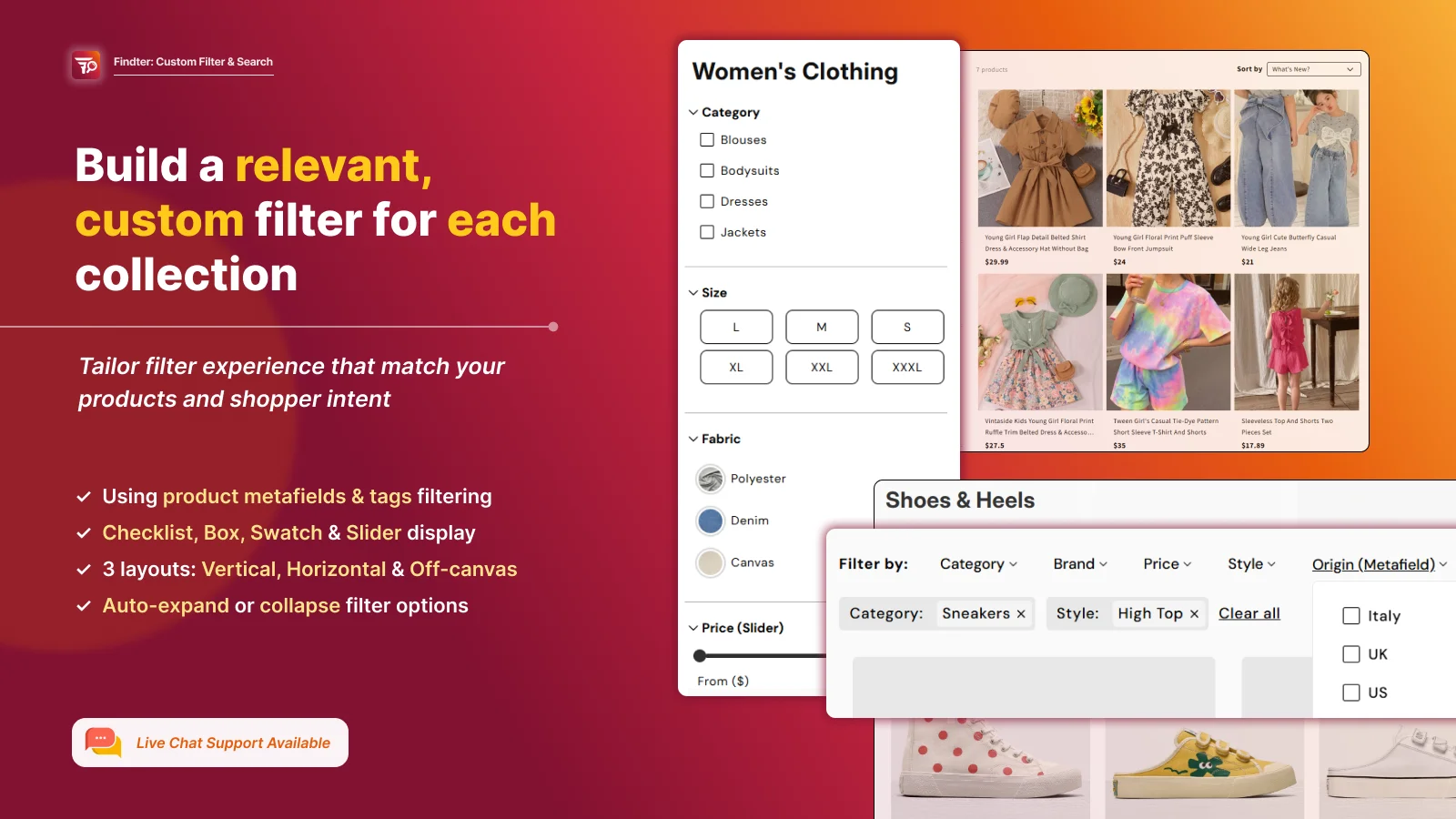
Image: Findter Custom Filter & Search, Shopify App Store.
Category: Search and filters Best for: Stores with a catalog shoppers need help narrowing down. Shopify rating: 5.0/5 from 273 reviews.
Findter Custom Filter & Search lists collection filters, partial and synonym search, sale filters and product boosts. A holiday collection could let customers narrow products by price or type and find relevant items with the terms they actually use. Ensure your product data supports the filters you display.
Pricing: The listing describes a free plan for stores with fewer than 300 active products. Starter is $9/month for up to 3,000 active products; check plan eligibility and feature availability.
Holiday setup checklist:
- Choose two or three filters that help your shoppers, such as price and product type.
- Check product tags, variants and other data so products appear in the right filter results.
- Review search terms and synonyms, including gift-related words customers may use.
- Test filters and search on mobile and desktop, including empty results and out-of-stock items.
- Verify any promoted products are available and that search results do not contradict your other storefront messages.
8. Judge.me Product Reviews App: Show real buyer feedback
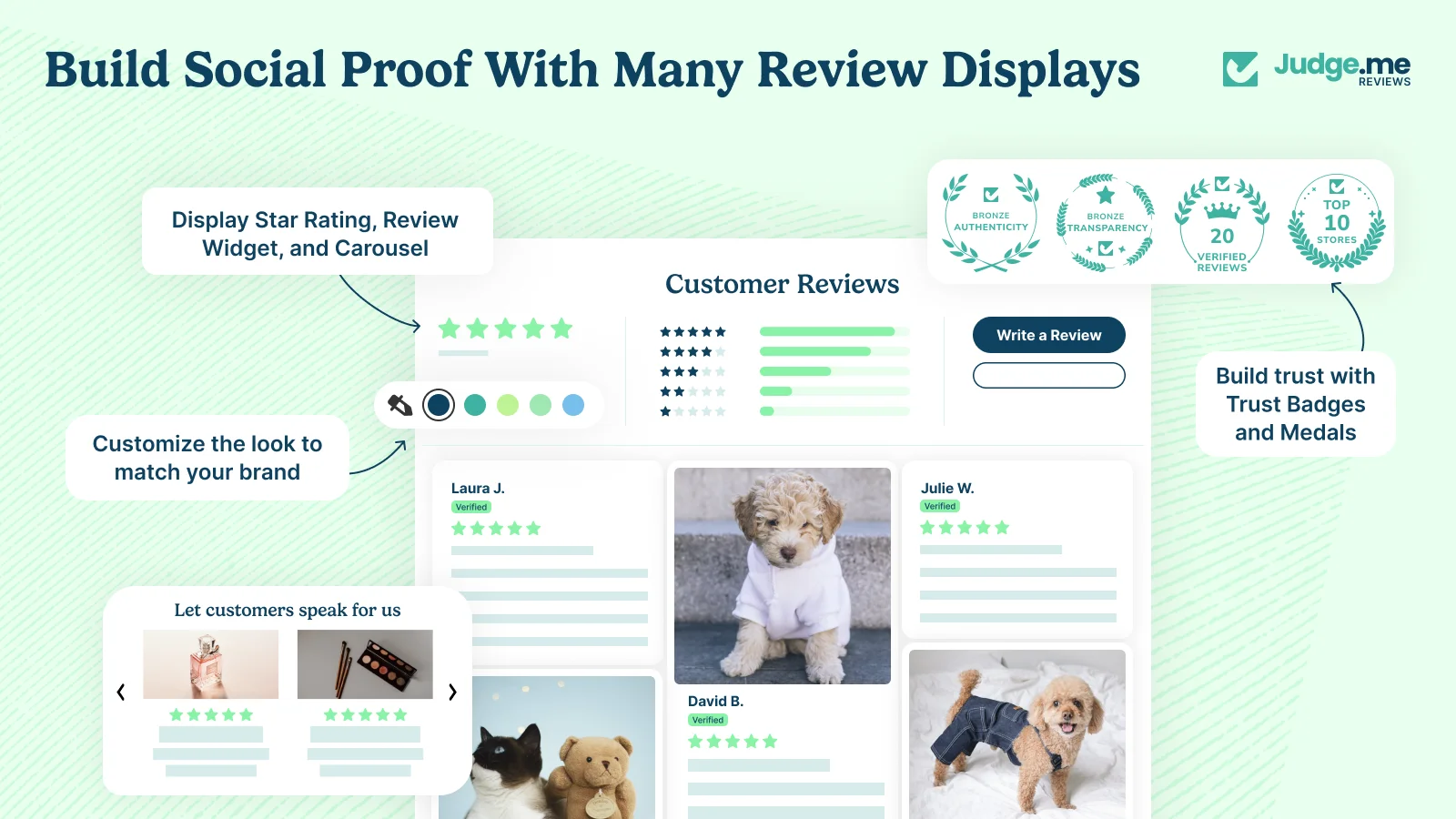
Image: Judge.me Product Reviews App, Shopify App Store.
Category: Reviews and social proof Best for: Stores that want shoppers to see authentic product feedback and photos. Shopify rating: 5.0/5 from 50,471 reviews.
Judge.me Product Reviews App lists review widgets, star ratings and photo or video reviews. For gift buyers, genuine feedback about size, materials or fit can answer questions a product photo cannot. The app's high review count is useful context, but the displayed rating is not a guarantee that it fits every store.
Pricing: The free plan lists unlimited product and store reviews and visual reviews. Awesome is $15/month and includes additional collection and customization features; check the current plan comparison.
Holiday setup checklist:
- Decide where a review widget will help customers make a purchase decision.
- Display genuine reviews for the correct product; do not invent or misrepresent testimonials.
- Preview star ratings, photos and review text on mobile and desktop.
- Set review-request timing around actual delivery and give customers time to use the product.
- Monitor incoming feedback during the holiday period and route product or shipping issues to the right team.
9. Moose AI Chatbot & Live Chat: Handle holiday questions

Image: Moose AI Chatbot & Live Chat, Shopify App Store.
Category: Customer support and chat Best for: Stores that want to combine a support inbox, FAQs and live chat. Shopify rating: 5.0/5 from 486 reviews.
Moose AI Chatbot & Live Chat lists an AI chatbot, live chat, FAQs and an inbox. It can help customers find answers about orders or store policies, with a handoff to your team when needed. Treat AI responses as something to test and monitor, especially where gift deadlines or pre-orders are involved.
Pricing: The listing shows a free plan with chatbot replies and standard widget customization. Starter is $19/month; Growth is $49/month with additional ticket and email-channel features. Check present limits and terms.
Holiday setup checklist:
- Gather approved answers for shipping, returns, gift options and pre-order timing.
- Review the information available to the chatbot and remove obsolete deadlines or promotions.
- Ask test questions on mobile and desktop; check whether answers reflect your policies accurately.
- Set up a clear path to a human and assign someone to handle complex or uncertain questions.
- Monitor real conversations and correct misleading answers promptly. Never imply a guaranteed arrival date without supporting evidence.
10. CWILL Order Tracking: Make shipment updates easier to find
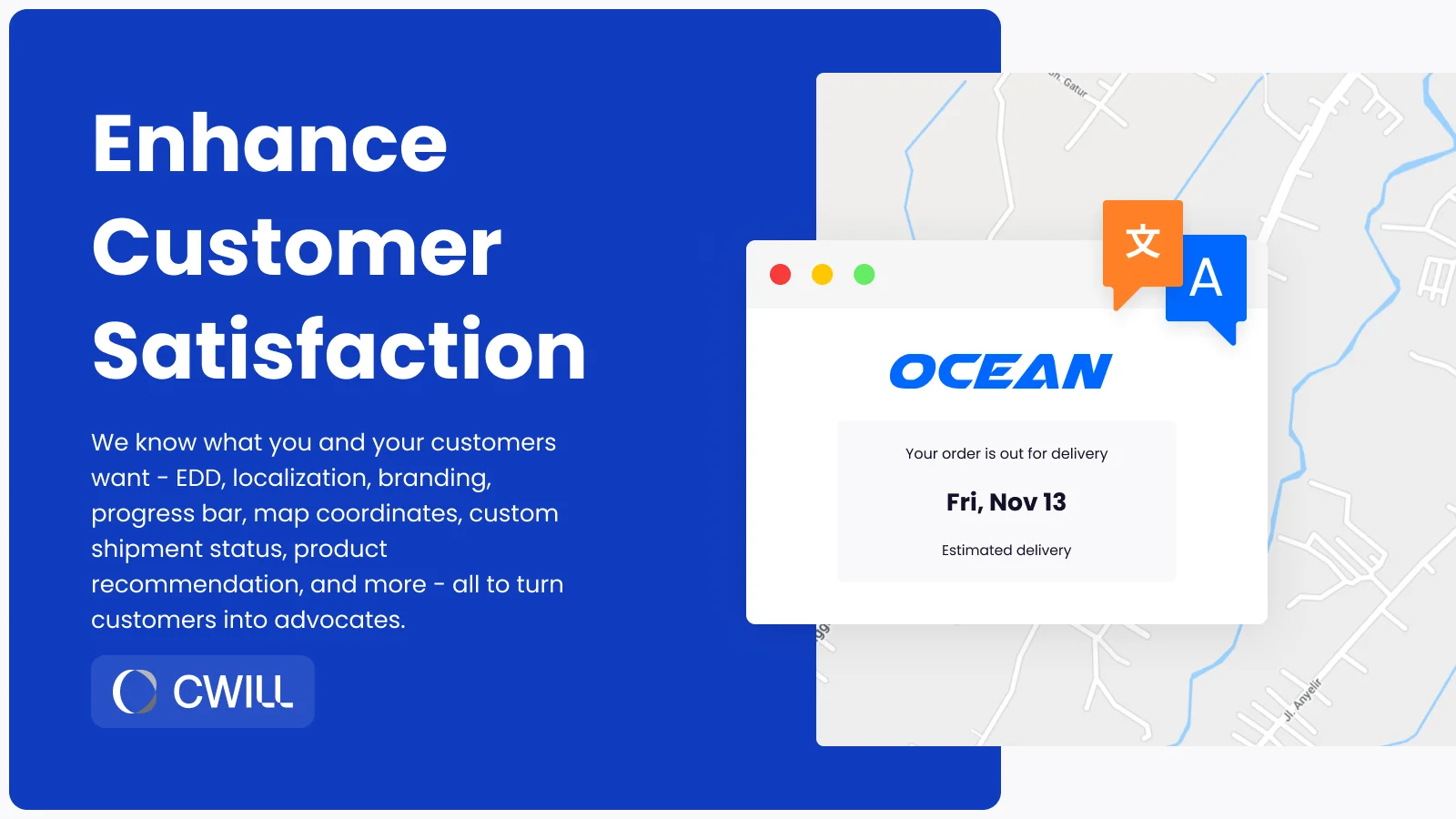
Image: CWILL Order Tracking, Shopify App Store.
Category: Order tracking Best for: Stores that want a branded tracking page and shipment updates. Shopify rating: 4.9/5 from 3,226 reviews.
CWILL Order Tracking, formerly ParcelPanel and ParcelWILL, lists a branded tracking page, multi-carrier shipment tracking and shipping notifications. A customer waiting for a gift can check shipment progress without searching through old emails. Tracking does not speed up a parcel or guarantee delivery: carrier scans and estimates can change.
Pricing: The listing shows a free plan for 20 orders per month, including a branded tracking page. Essential starts at $11/month for 200 orders and includes shipping notifications; additional quota costs $0.05 each. Check current limits and terms before installing.
Holiday setup checklist:
- Confirm the app supports your carriers, destinations and expected order volume.
- Configure the tracking page and explain where customers can find their tracking number.
- Test a tracking link on mobile, including an order that has not yet received its first carrier scan.
- Review notification settings so Shopify and other apps do not send duplicate or contradictory updates.
- Set a support process for delayed or exception shipments, and communicate estimates honestly rather than promising Christmas delivery.
How to choose your holiday app stack
You probably do not need all 10 apps. Start with the customer journey and your team's capacity:
- Identify one bottleneck. Are shoppers struggling to find a gift, abandoning carts, asking repetitive questions or missing delivery information? Choose the function that addresses the clearest problem.
- Set a budget around expected usage. Account for order limits, contacts, message credits, paid features and possible overage charges—not just the headline monthly fee.
- Check overlapping functions. Two apps can both add cart offers, discounts or notifications. Decide which one owns each message and test combinations before running traffic to the store.
- Run a complete test order. On mobile and desktop, follow the product page through cart and checkout. Check prices, discounts, gift options, messages, order details and tracking. Use a store-approved test payment method.
- Prepare the operations behind the offer. Confirm stock, packing capacity, support coverage and shipping cutoffs. Set conservative expectations for any pre-order or seasonal delivery estimate.
- Measure a small set of outcomes. Depending on the tool, compare conversion, average order value, campaign performance or support volume before and during the campaign. Watch returns and customer complaints as well as revenue.
Build for a smoother customer experience
A strong Christmas campaign makes the next step clear. Help shoppers find an appropriate gift, explain the price and shipping expectations, and give your team a reliable way to fulfill the order. Choose a small number of tools that support those steps, test them together, and leave enough time to fix issues before your busiest days.